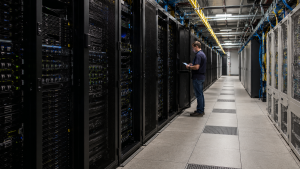
Servers support websites, applications, databases, file sharing, and everyday business operations. When they perform well, employees experience fewer delays, applications respond faster, and critical data remains accessible.
As workloads grow, even reliable servers can begin to slow down. The right approach is not always a complete hardware refresh. Performance can often improve through better monitoring, targeted upgrades, configuration changes, workload planning, and dependable hardware support.
Why Server Performance Matters
Server performance affects more than technical metrics. It can influence:
- Application response times
- Employee productivity
- Customer experience
- Data availability
- Business continuity
- IT support costs
- Future growth
A well-managed server environment gives businesses more room to scale. Poor performance can create delays, increase support requests, and make systems less reliable under pressure.
Common Signs of Poor Server Performance
Your servers may need attention if you notice:
- Slow application or website response times
- Frequent crashes, errors, or failed requests
- Reduced uptime
- High CPU, memory, or storage usage
- Long backup or file-transfer times
- Storage latency or drive failures
- Increasing maintenance and support costs
These signs do not always mean the hardware must be replaced. A detailed review can help identify whether the issue is related to workload demand, configuration, network performance, failing components, or insufficient resources.
Metrics That Help Measure Server Health
| Metric | What It Measures | What It May Indicate |
|---|---|---|
| CPU usage | Processing capacity being used | Heavy workloads or insufficient processing power |
| Memory usage | Active RAM consumption | Too many applications or limited memory |
| Storage latency | Time required to read or write data | Slow drives, storage congestion, or configuration issues |
| Response time | How quickly the server responds | Application, network, or resource limitations |
| Uptime | How long systems remain available | Infrastructure reliability and service continuity |
| Error rate | Failed requests or system errors | Software, hardware, or connectivity problems |
Monitoring these metrics over time is more useful than reviewing a single performance snapshot. Trends can reveal growing demand before it becomes a serious operational problem.
How to Improve Server Performance
1. Assess the Current Environment
Start by reviewing workloads, server age, resource usage, failure history, storage capacity, and application requirements. This helps determine whether the problem is caused by hardware limitations, software configuration, network congestion, or an overloaded system.
2. Upgrade Targeted Components
A full replacement may not be necessary if only one component is limiting performance.
Targeted improvements may include:
- Adding memory for better multitasking
- Upgrading processors for demanding workloads
- Replacing aging hard drives with faster storage
- Adding or expanding storage capacity
- Upgrading network interface cards
- Replacing failed or weak components
Using quality replacement parts can improve reliability while extending the useful life of the existing server.
3. Review BIOS, Firmware, and Operating System Settings
Server performance can be affected by outdated firmware, incorrect BIOS settings, storage configuration, or operating system settings.
Regular reviews should include:
- BIOS and UEFI configuration
- Firmware updates
- Operating system updates
- Driver compatibility
- Power and performance settings
- Security patches
Updates should be tested and scheduled carefully to avoid disrupting production systems.
4. Balance and Virtualize Workloads
When several applications compete for the same resources, one server may become overloaded while others remain underused.
Workload balancing and virtualization can help organizations:
- Distribute applications more efficiently
- Improve resource utilization
- Scale resources as demand changes
- Reduce dependence on a single physical server
- Simplify maintenance planning
- Reduce avoidable downtime
Virtualization should be designed around capacity, application requirements, security, and recovery needs.
5. Optimize the Network
Server performance also depends on the network connecting users, applications, storage, and other systems.
Review:
- Network latency
- Bandwidth usage
- Routing efficiency
- Switch and router performance
- Firewall capacity
- Load-balancing configuration
- Network interface errors
A server may appear slow even when its internal resources are healthy if the network path is congested or unstable.
6. Plan Capacity Before Problems Appear
Capacity planning helps businesses prepare for future demand. Review expected growth in users, applications, data, backups, storage, and processing requirements.
A practical capacity plan can help identify:
- When additional memory will be needed
- When storage capacity may become limited
- Which servers should be consolidated
- Which systems need replacement
- Which equipment can remain in service with maintenance
7. Maintain Hardware After OEM Support Ends
Hardware that reaches post-warranty or EOSL status may still perform well. Replacing reliable equipment only because OEM support has ended can create unnecessary cost and pressure.
Third-party maintenance can provide continued support for eligible servers, storage systems, and network equipment while the business plans future upgrades.
How ETS Supports Server Performance
Extended Tech Solutions helps organizations maintain reliable infrastructure across the hardware lifecycle.
ETS can support:
- Post-warranty and EOSL servers
- Enterprise storage systems
- Network hardware
- Multi-vendor environments
- Replacement parts and onsite support
- Flexible service levels
- Level 3 engineer assistance
- Hardware lifecycle planning
For organizations managing equipment from different manufacturers, multi-vendor maintenance can simplify support through one service partner and one coordinated support process.
Keep Your Infrastructure Performing
Server performance is an ongoing process. Regular reviews, targeted upgrades, workload planning, network optimization, and dependable maintenance can help businesses get more value from their existing infrastructure.
Before replacing reliable servers, storage systems, or network equipment, review your available options with ETS. Explore server maintenance, check the EOSL product list, or contact ETS to discuss a support plan.
About The Author: